- Published on
Agent Cats: A Miniature Garden for Your Claude Code Cats
- Authors

- Name
- Kaito Kikuchi
- @chorkaichan
Introduction
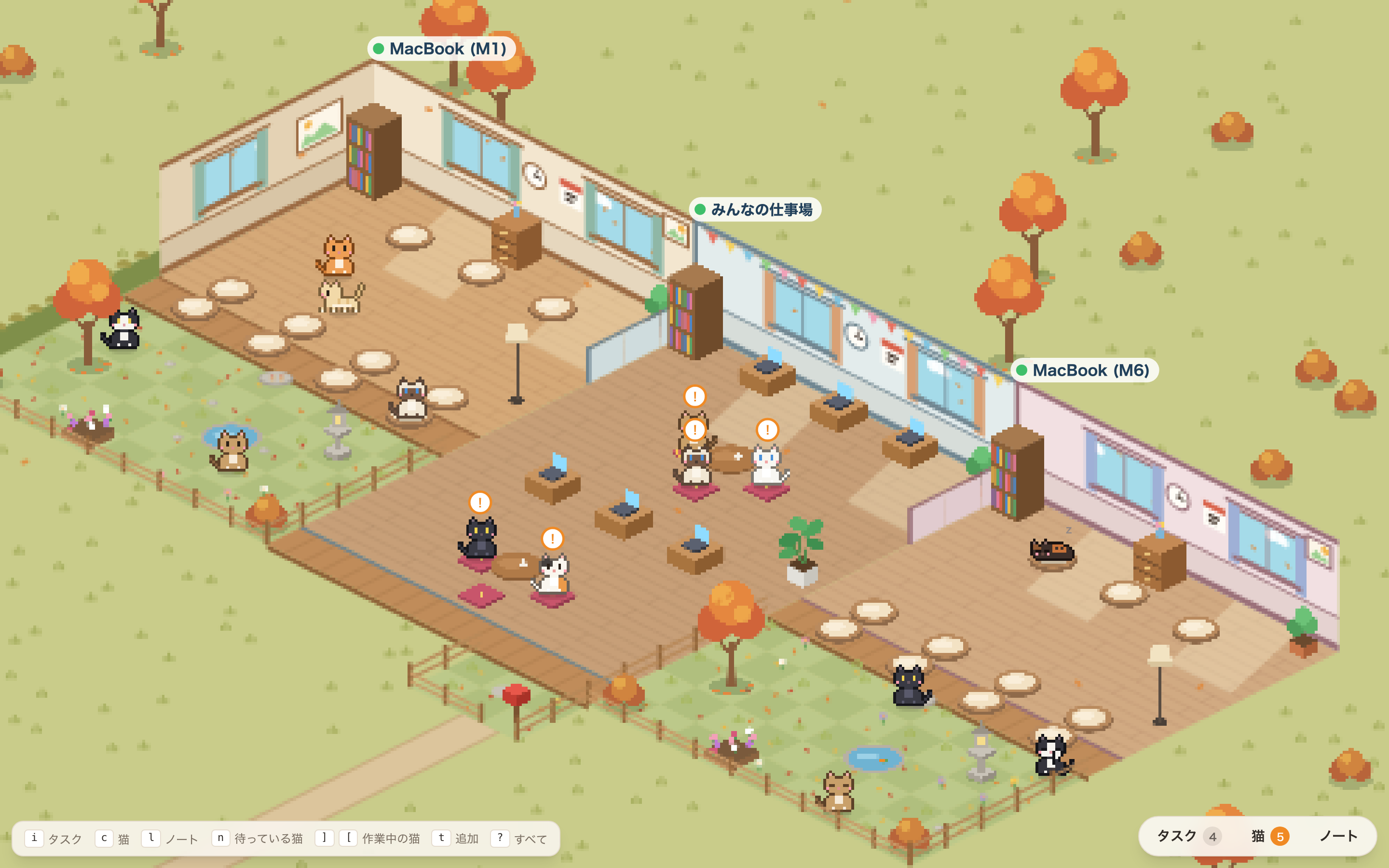
"Agent Cats" is a web app that shows the Claude Code agents running on your Mac as cats living in a pixel-art miniature garden. You can see what several agents are up to, all on a single screen.
When you hand a cat a task, it starts working at a desk in the workplace. When it needs permission, it shows a "!" and waits, and when it's done, it carries its results to the mailbox. On a computer or a smartphone alike, you can hand out tasks, answer questions and receive results from the same screen.
I deliberately asked the Agent Cats cats to write this post. The idea was to have the app being introduced create its own introduction. The cats handled everything from the outline and draft to the screenshots and the architecture diagram, while I checked the content and asked for revisions.
In this post, I'll go through why I built Agent Cats, what it can do, how I use it day to day, how it works, and how the miniature garden is designed.
Why I Built It
When you run several Claude Code agents in parallel, it gets hard to keep track of "who is doing what right now" and "who is waiting for permission." Switching between terminal tabs to check is quite a hassle, and you can't see what's going on at all when you're out.
So I decided to build a screen that could do the following:
- Show at a glance which agents are working and which are waiting for a reply
- Let me hand out tasks, grant permissions and receive results even from my smartphone
- Manage agents on multiple Macs in one place
To be honest, a plain list would have done the job. But since it's a screen I look at for hours every day, I wanted it to be fun to watch. And that's how the agents became cats.
What It Can Do
Handing Out Tasks
You add tasks in the Tasks tab (タスク) of the panel on the right. Choose a project and press Assign (アサイン), and the work goes to a free cat among those in charge of that project. You can also pick a specific cat.
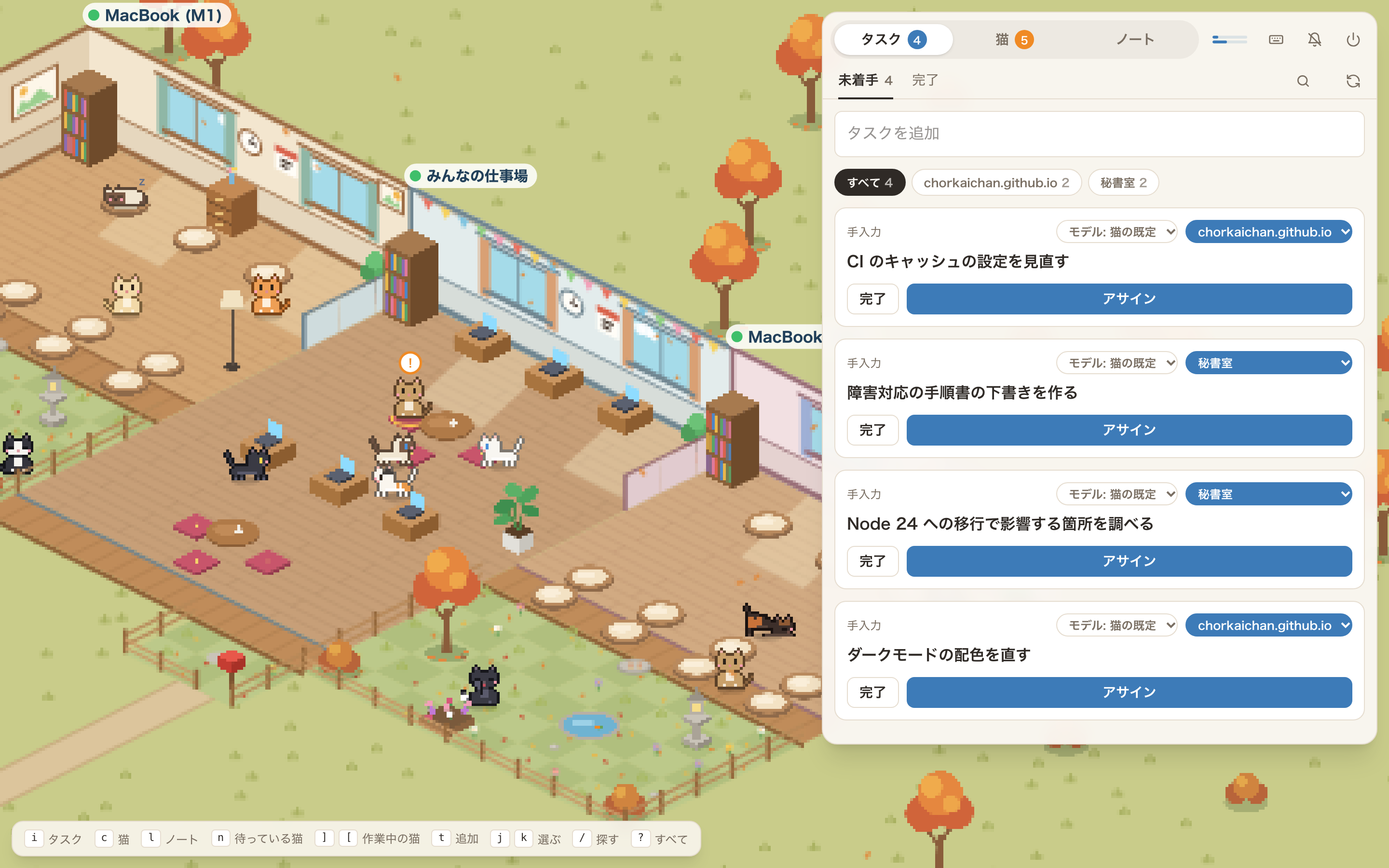
Besides writing tasks by hand, you can import them from Linear or GitHub Projects. Issues the cats find while working also go straight into the inbox.
You can also hand over a task with a Claude Code skill specified, such as /code-review.
Answering Questions and Permission Requests
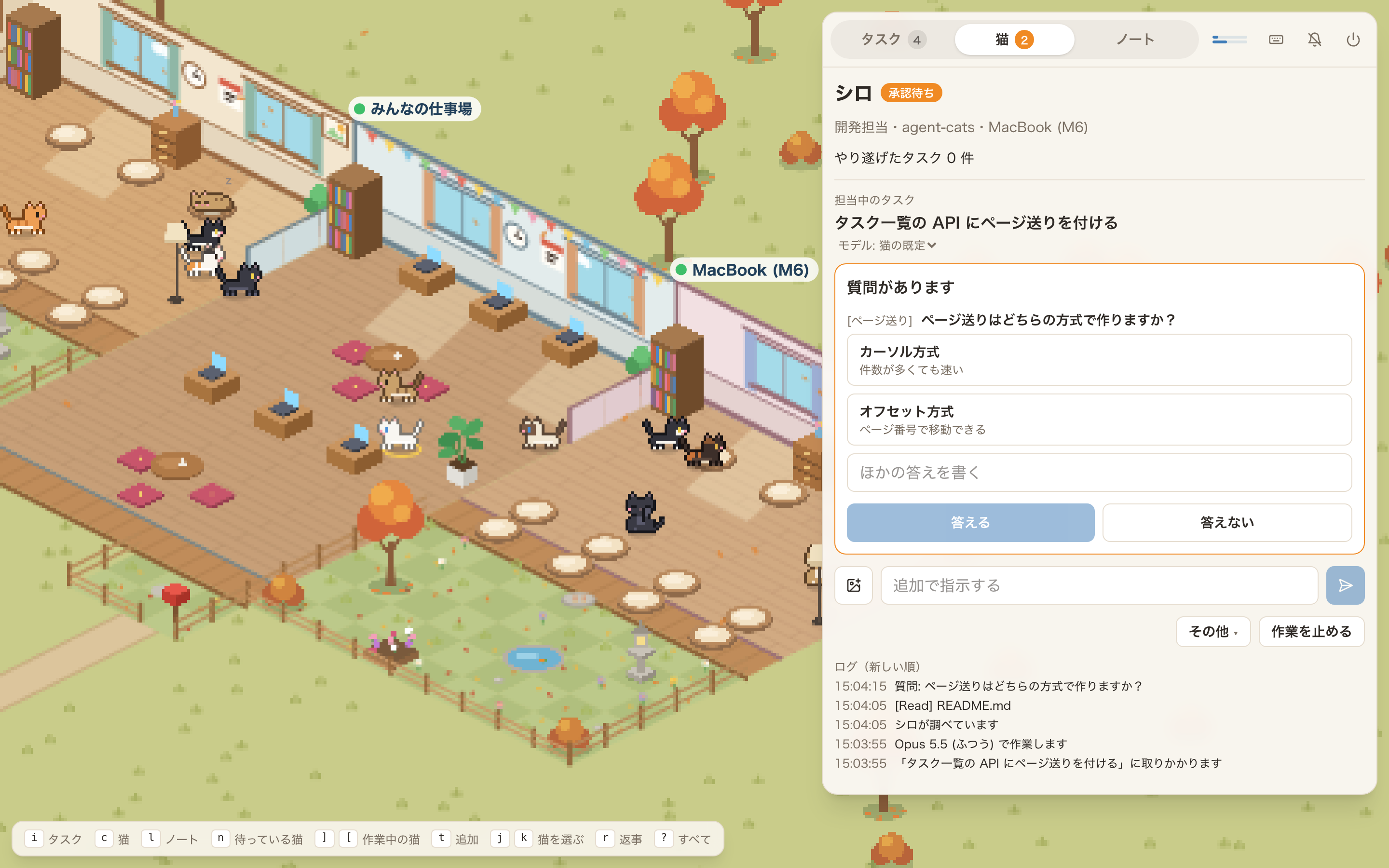
While working, a cat may ask about the approach or request permission to run a command. In the meantime, the cat sits at the low table (chabudai) in the workplace with a "!" over its head and waits.
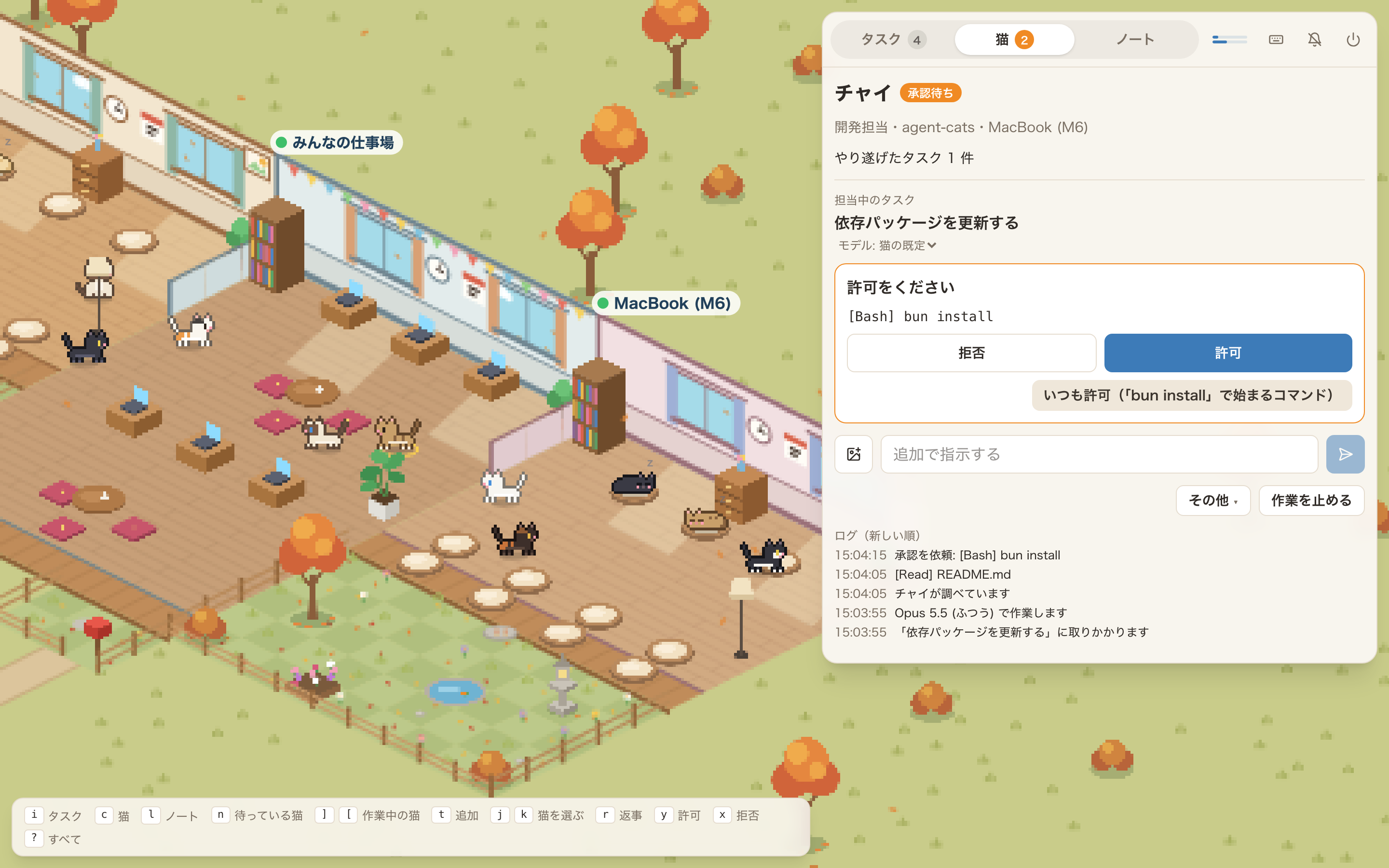
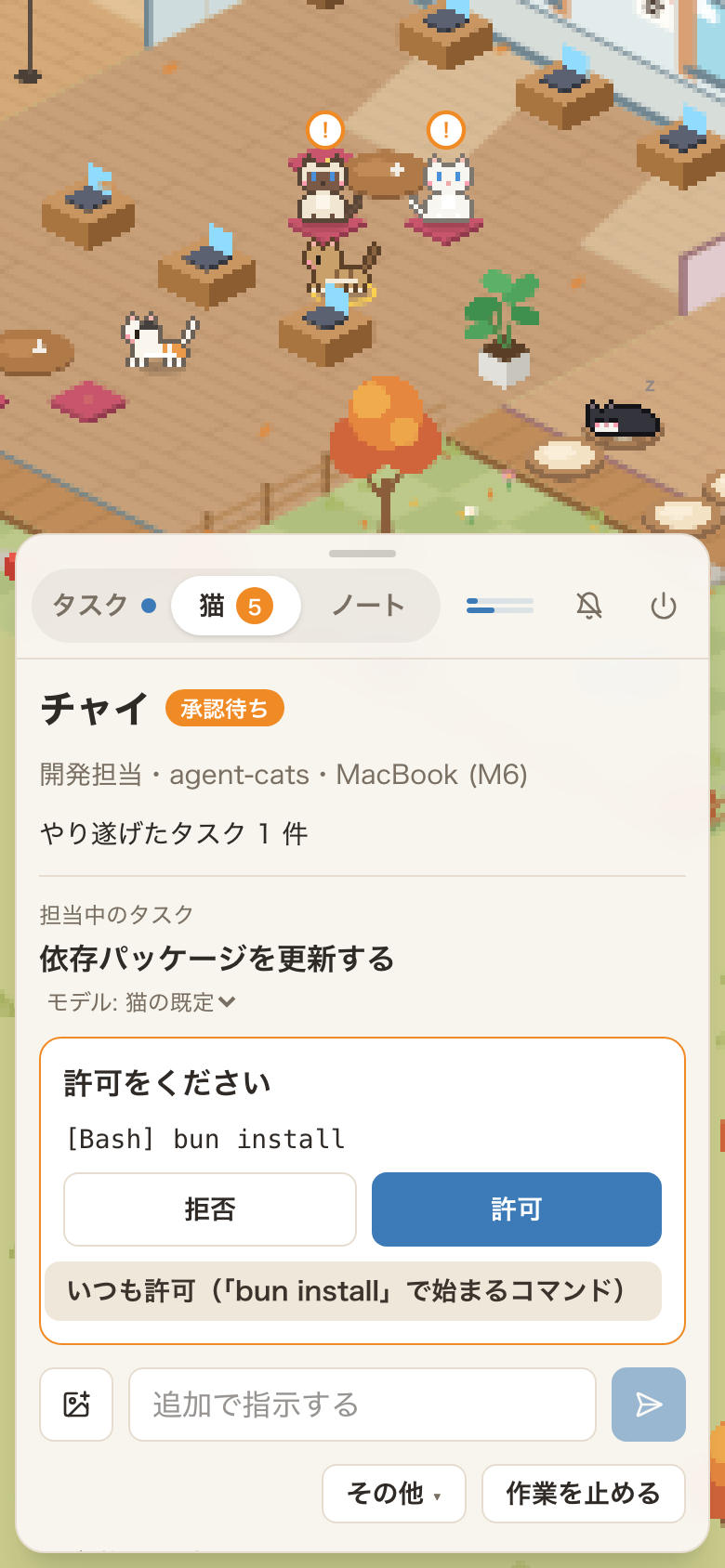
The permission screen shows the command the cat is about to run. If you choose Always allow (いつも許可), you won't be asked about the same kind of command again. This setting is saved per Mac.
You can send additional instructions to a cat while it's working. You can attach images too.
Receiving Results
When a cat finishes its work, it carries a fish in its mouth to the mailbox. Select the cat and its final report appears, and the input box below it is pre-filled with the "next instruction" the cat predicted. You can send it as is, or edit it before sending. You can also hand the work over to another cat with the same role.
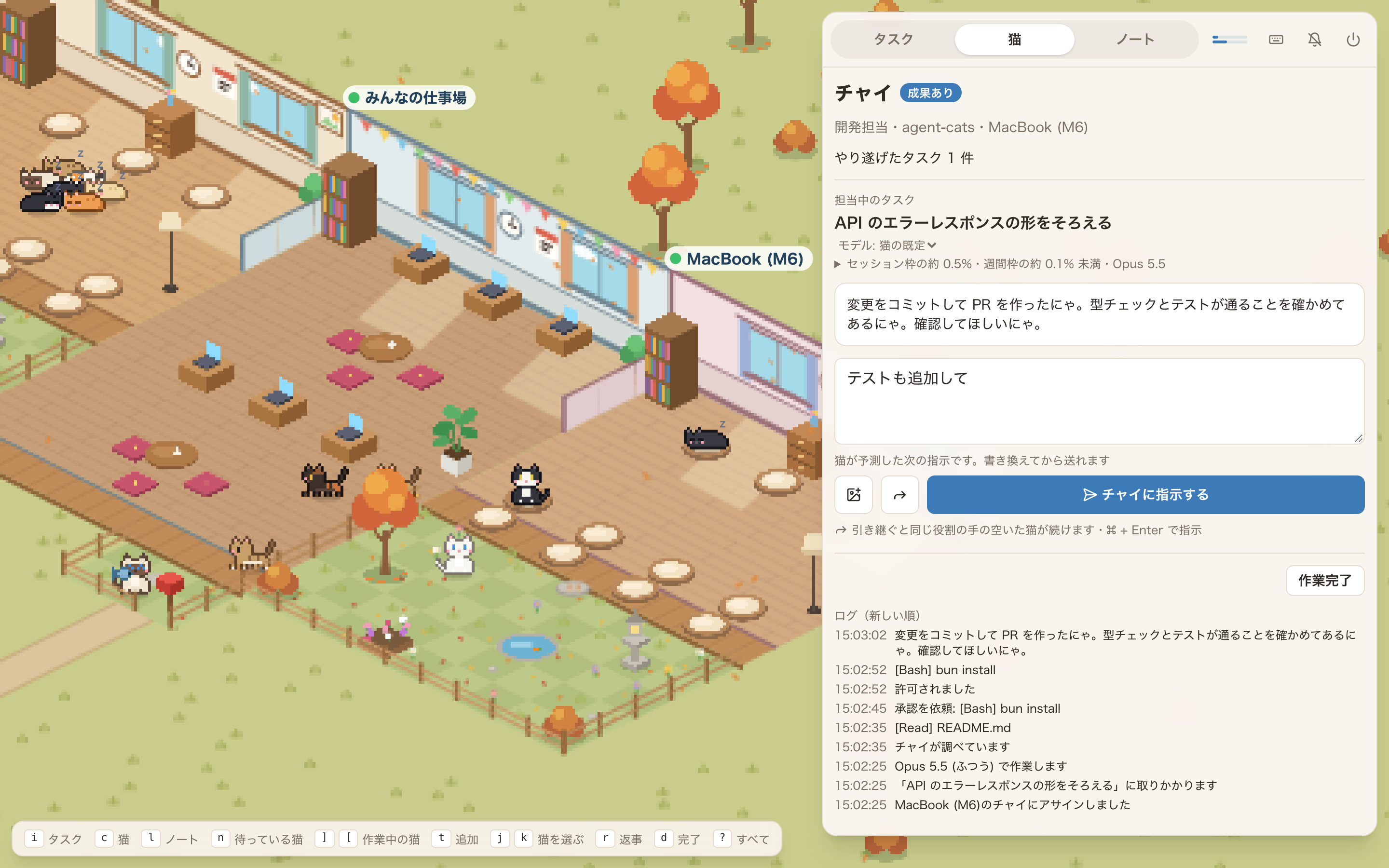
A cat that has opened a PR waits for the CI results. While it waits, it eats cat food. If CI fails, you can ask it to fix things. PRs with conflicts are fixed by the cat in charge of conflicts.
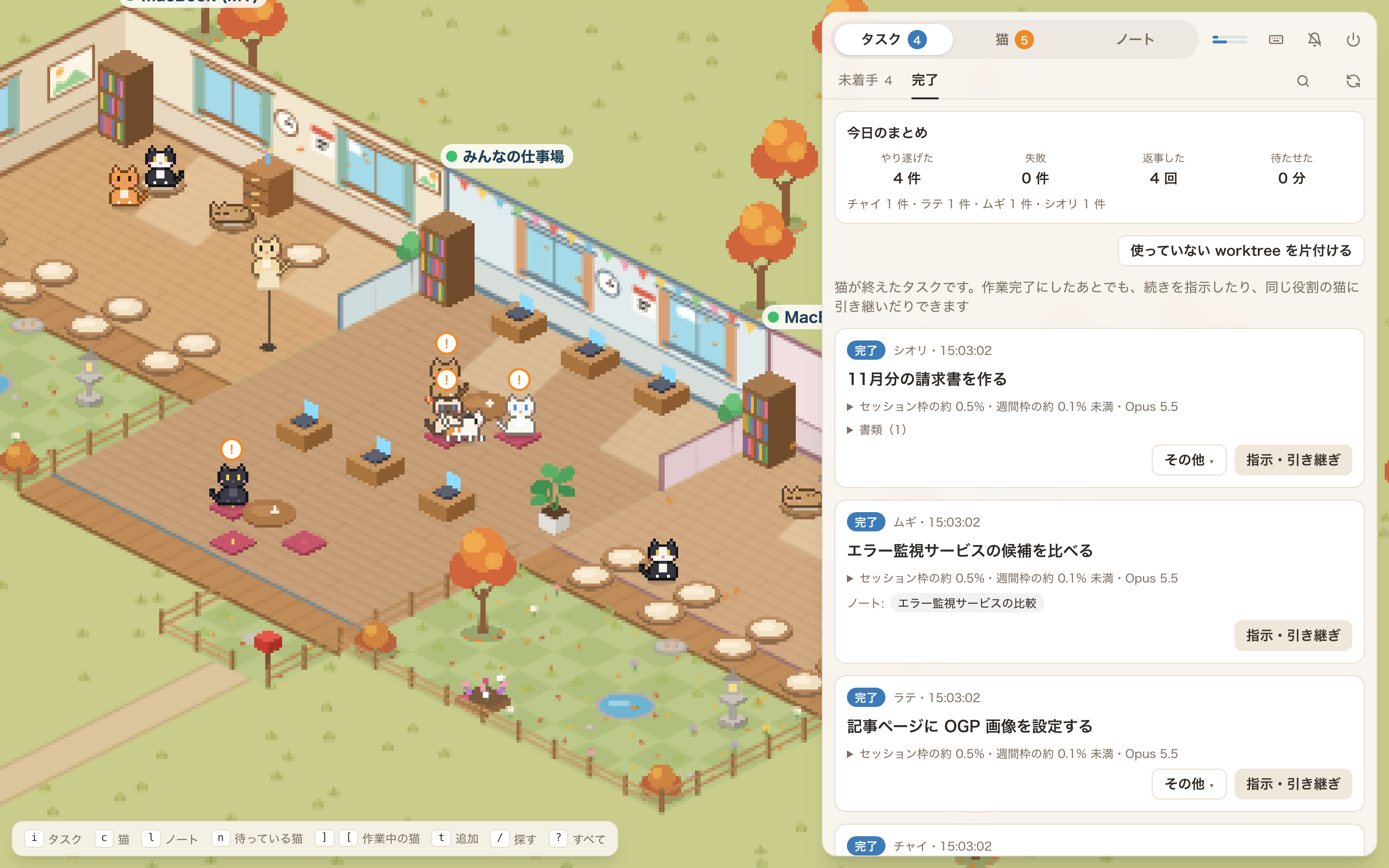
In the Done tab (完了), you can look back over the day's results all at once.
Work Beyond Development
The cats don't just do development; they take on other roles too.
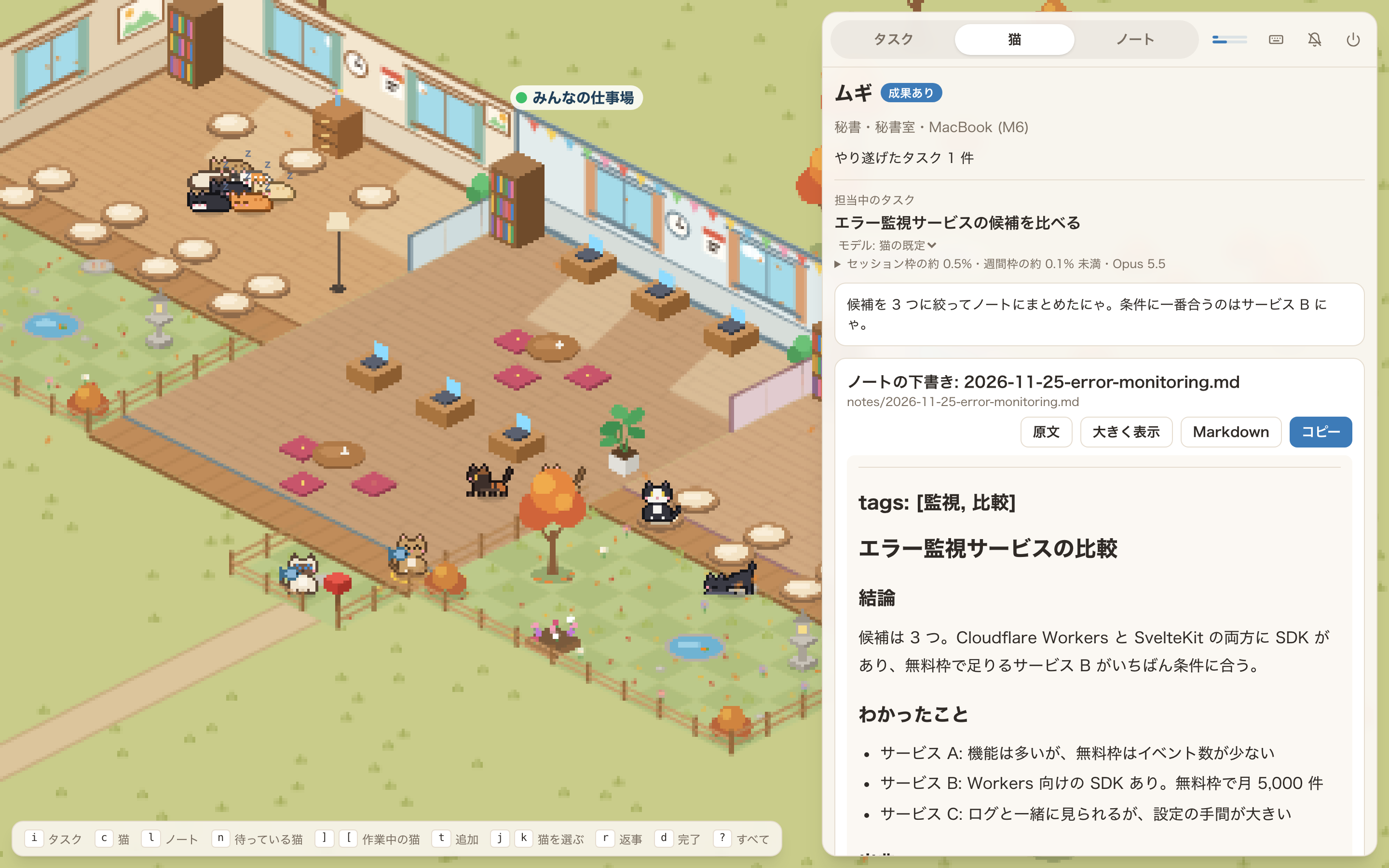
The secretary cat does research and writes the results up as notes. You can search notes in the Notes tab (ノート) and refer to them later for other tasks.
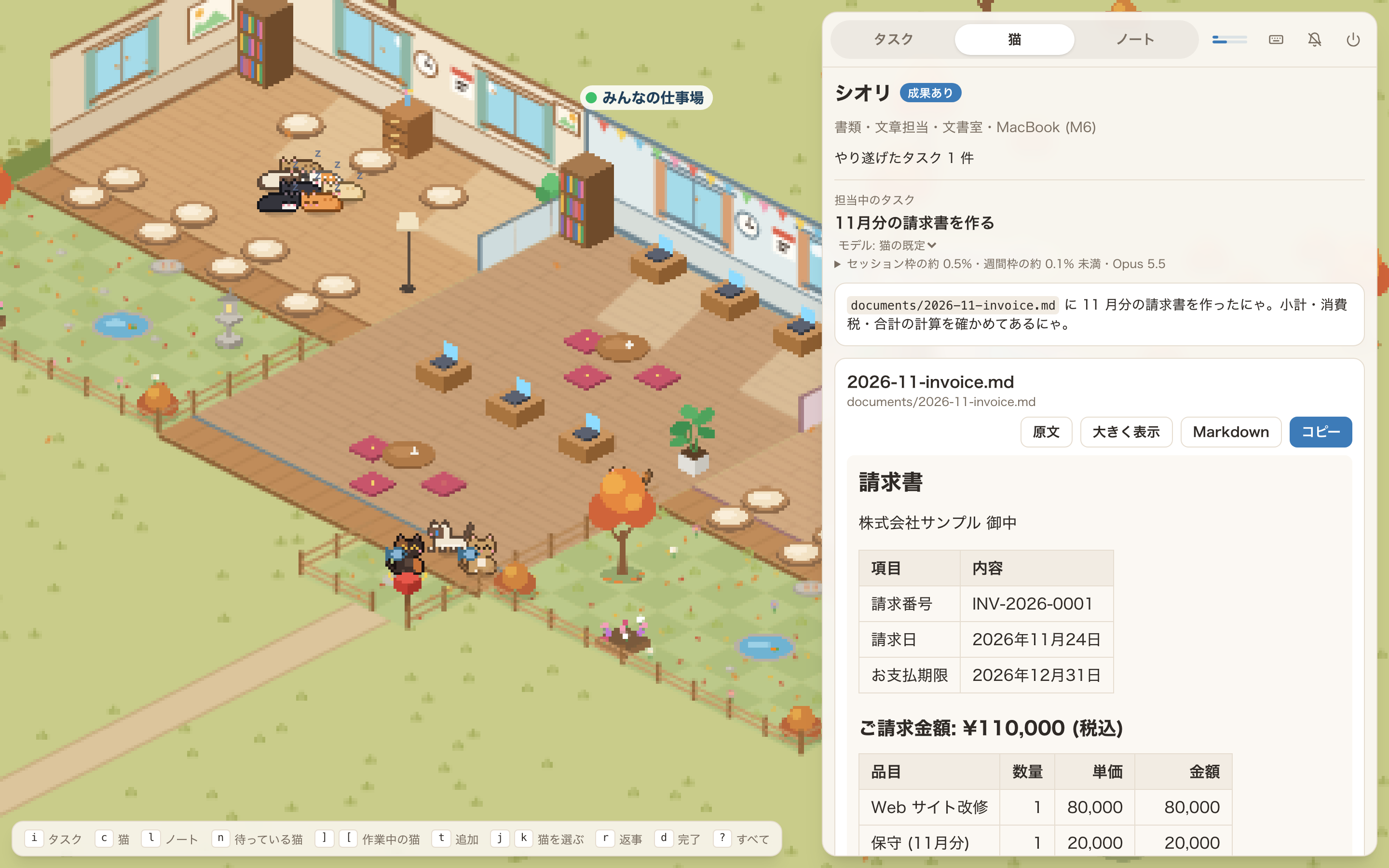
The paperwork cat creates documents such as invoices and announcements. Finished documents are rendered nicely inside the panel, and you can also copy them as Markdown.
Keyboard and Smartphone
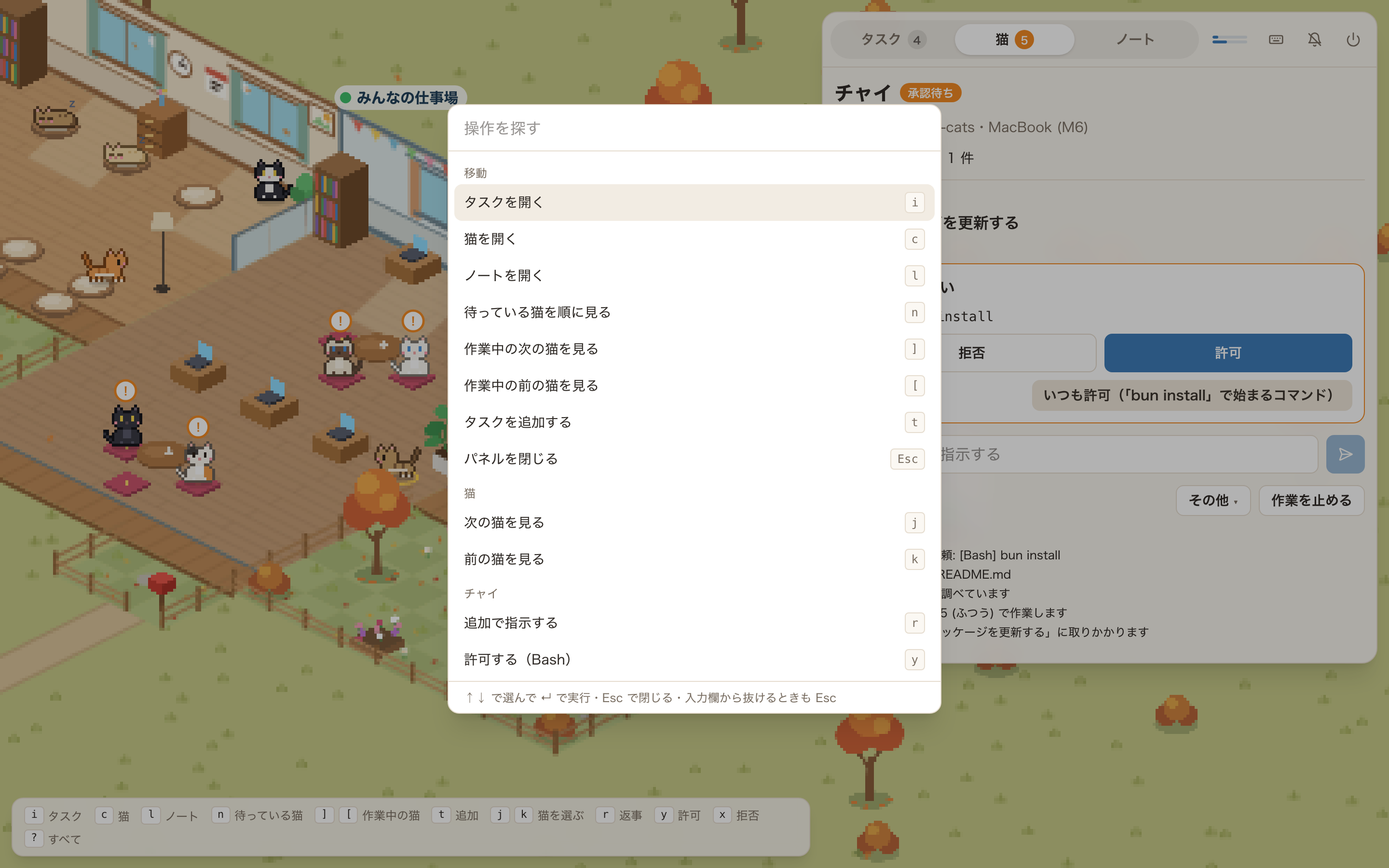
On a computer, you can do almost everything from the keyboard. Press ? to see a list of available actions. Use n to go through the waiting cats one by one, y to allow, and r to write a reply.
On a smartphone, the panel slides up from the bottom. If you add it to your home screen, you can use it like an app, and you get push notifications when a cat is waiting for a reply.
How I Use It Day to Day
My usual routine looks like this:
- In the morning, import the day's tasks from Linear and hand them all out to the cats with Auto-assign (おまかせで渡す)
- When a cat asks a question or requests permission, open it from the notification and answer
- When results arrive, check them, then send the next instruction or review the PR
- In the evening, look back over the day's results in the Done tab
The cats do the hands-on work, and I focus on decisions and checking. Since I can answer even while I'm out, the cats rarely get stuck waiting, which I really appreciate.
How It Works
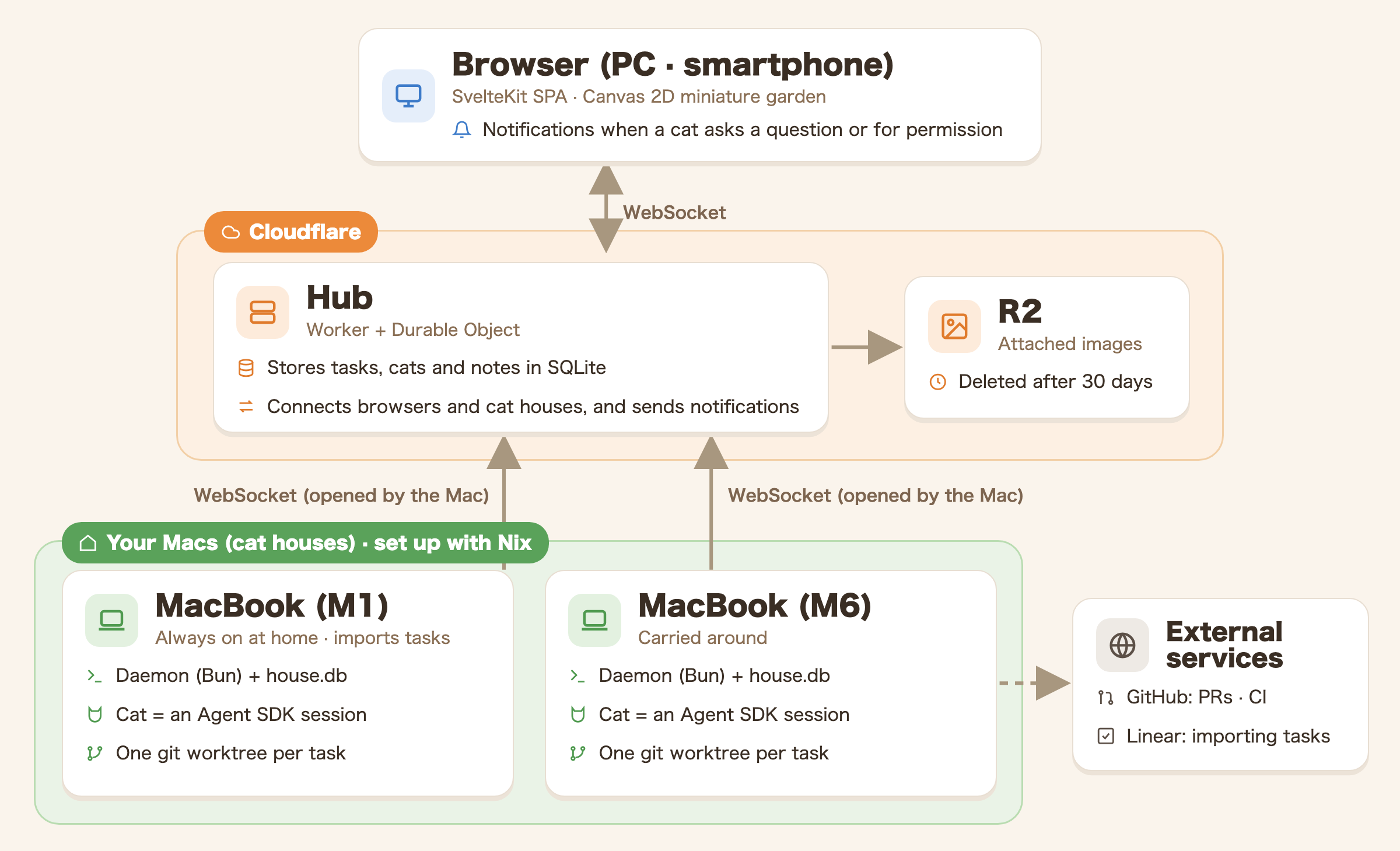
The overall architecture is shown in the diagram below.
Three Components
Agent Cats is made up of three parts:
- Web (browser): A static SPA built with SvelteKit. The miniature garden is drawn with Canvas 2D at a small resolution and then scaled up.
- Hub (Cloudflare): Uses one Worker and one Durable Object. The Durable Object keeps the state of tasks, cats and notes in SQLite, and connects to both browsers and Macs over WebSocket. Attached images are stored in R2 and deleted after 30 days.
- Cat houses (Mac): A Bun daemon running on each Mac. It connects outbound to the Hub over WebSocket, so there's no need to open any ports on the Mac side.
Two Macs
There are cat houses on two machines: a MacBook (M1) and a MacBook (M6). The M1 stays at home and runs all the time, while I carry the M6 around with me. Both environments are kept in sync with Nix, so the cats in either house work with the same setup.
What a Cat Really Is
Each cat is, in fact, a Claude Agent SDK session. Every time it receives a task, it calls query() once and carries on inside that call until the work is done. Input is passed as a stream, so you can send additional instructions to a cat even while it's working.
Development cats create a git worktree for each task and work on a branch called work/<task>. However many cats work on the same repository at the same time, their changes don't collide.
Permission requests for running tools are received through the SDK's canUseTool and relayed to the browser. Safe operations are allowed automatically, and only the rest are passed on to a human.
Built to Survive Interruptions
Even if a Mac goes to sleep or the network drops, the work history isn't lost. Each cat house stores what it sends to the Hub in a local SQLite database (house.db) and keeps resending until the Hub confirms receipt.
Sessions can also be resumed from where they left off. When a usage limit is reached, the cat automatically retries at the time the limit is lifted.
Designing the Miniature Garden
The miniature garden isn't just for looks. It's designed so that where a cat is and what it's doing tell you the state of the agent.
| What the cat is doing | Meaning |
|---|---|
| Facing a computer at a desk in the workplace | Working |
| Sitting at the low table with a "!" | Waiting for an answer or for permission |
| Carrying a fish in its mouth to the mailbox | Has results |
| Eating cat food | Waiting for CI results |
| Drooping under the tree | Failed |
| Curled up asleep on the veranda or on the rug | Free |
Just by closing the panel and gazing at the garden, you can tell which cat you should talk to.
This part is purely for my own enjoyment, but I've also put a lot of work into the little details of the cats' everyday life. As the cats complete more work, more furniture appears: a rug, a cat tower, a goldfish bowl. Cats that often work together become friends and groom each other. The garden reflects the time of day and the season, and it even rains or snows to match the real weather (this weather feature turned out to be surprisingly handy once I built it). Long-press a cat and you can pet it.
Closing
What did you think? If you're running a bunch of agents and finding it hard to keep track of who's doing what, I hope this gives you some ideas.
By the way, I'm actually allergic to cats. Even so, watching these cats every day through this project has made me appreciate how lovely cats are. With cats in a miniature garden, you can pet them as much as you like without sneezing.